
DevOps
Jenkins 构建 Node 项目内存溢出(JavaScript heap out of memory)解决方案
1\. 问题描述 在 Jenkins CI/CD 构建前端项目(Vue / Vite / Webpack 等)时,执行: 报错: 即 Node.js 在运行时超出了默认 V8 引擎
[root@www.wulaoer.org ~]# systemctl stop firewalld
[root@www.wulaoer.org ~]# systemctl disable firewalld
Removed symlink /etc/systemd/system/multi-user.target.wants/firewalld.service.
Removed symlink /etc/systemd/system/dbus-org.fedoraproject.FirewallD1.service.
安装方法有多种,可以选择docker安装,也可以选择tpm安装,这里先使用rpm安装,软件连接地址:https://mirrors.tuna.tsinghua.edu.cn/gitlab-ce/yum/el7/。 gitlab分为社区版和企业版,社区版相比企业版少了一些服务,如果想使用需要另外购买,这里是测试就使用社区版安装了。
[root@www.wulaoer.org ~]# yum -y install policycoreutils openssh-server openssh-clients postfix
[root@www.wulaoer.org ~]# wget https://mirrors.tuna.tsinghua.edu.cn/gitlab-ce/yum/el7/gitlab-ce-12.0.0-ce.0.el7.x86_64.rpm
[root@www.wulaoer.org ~]# rpm -ivh gitlab-ce-12.0.0-ce.0.el7.x86_64.rpm
警告:gitlab-ce-12.0.0-ce.0.el7.x86_64.rpm: 头V4 RSA/SHA1 Signature, 密钥 ID f27eab47: NOKEY
准备中...                          ################################# [100%]
正在升级/安装...
   1:gitlab-ce-12.0.0-ce.0.el7        ################################# [100%]
It looks like GitLab has not been configured yet; skipping the upgrade script.

       *.                  *.
      ***                 ***
     *****               *****
    .******             *******
    ********            ********
   ,,,,,,,,,***********,,,,,,,,,
  ,,,,,,,,,,,*********,,,,,,,,,,,
  .,,,,,,,,,,,*******,,,,,,,,,,,,
      ,,,,,,,,,*****,,,,,,,,,.
         ,,,,,,,****,,,,,,
            .,,,***,,,,
                ,*,.


     _______ __  __          __
    / ____(_) /_/ /   ____ _/ /_
   / / __/ / __/ /   / __ `/ __ \
  / /_/ / / /_/ /___/ /_/ / /_/ /
  \____/_/\__/_____/\__,_/_.___/


Thank you for installing GitLab!
GitLab was unable to detect a valid hostname for your instance.
Please configure a URL for your GitLab instance by setting `external_url`
configuration in /etc/gitlab/gitlab.rb file.
Then, you can start your GitLab instance by running the following command:
  sudo gitlab-ctl reconfigure

For a comprehensive list of configuration options please see the Omnibus GitLab readme
https://gitlab.com/gitlab-org/omnibus-gitlab/blob/master/README.md
也可以使用yum直接安装
[root@www.wulaoer.org ~]# yum -y install https://mirrors.tuna.tsinghua.edu.cn/gitlab-ce/yum/el7/gitlab-ce-12.0.0-ce.0.el7.x86_64.rpm服务安装好了,为了避免端口重复,自己定义下端口
[root@www.wulaoer.org ~]# vim /etc/gitlab/gitlab.rb
..................................................
##! https://docs.gitlab.com/omnibus/settings/configuration.html#configuring-the-external-url-for-gitlab
#external_url 'http://gitlab.example.com'
external_url 'http://localhost:8081'
............................................
端口定义完成,加载一下服务,然后重启
[root@www.wulaoer.org ~]# gitlab-ctl reconfigure
[root@www.wulaoer.org ~]# gitlab-ctl restart
ok: run: gitlab-git-http-server: (pid 72105) 1s
ok: run: logrotate: (pid 72111) 0s
ok: run: nginx: (pid 72118) 1s
ok: run: postgresql: (pid 72128) 0s
ok: run: redis: (pid 72136) 0s
ok: run: sidekiq: (pid 72145) 0s
ok: run: unicorn: (pid 72150) 0s
至此,gitlab安装完成,下面我们使用浏览器访问一下,是否安装成功。
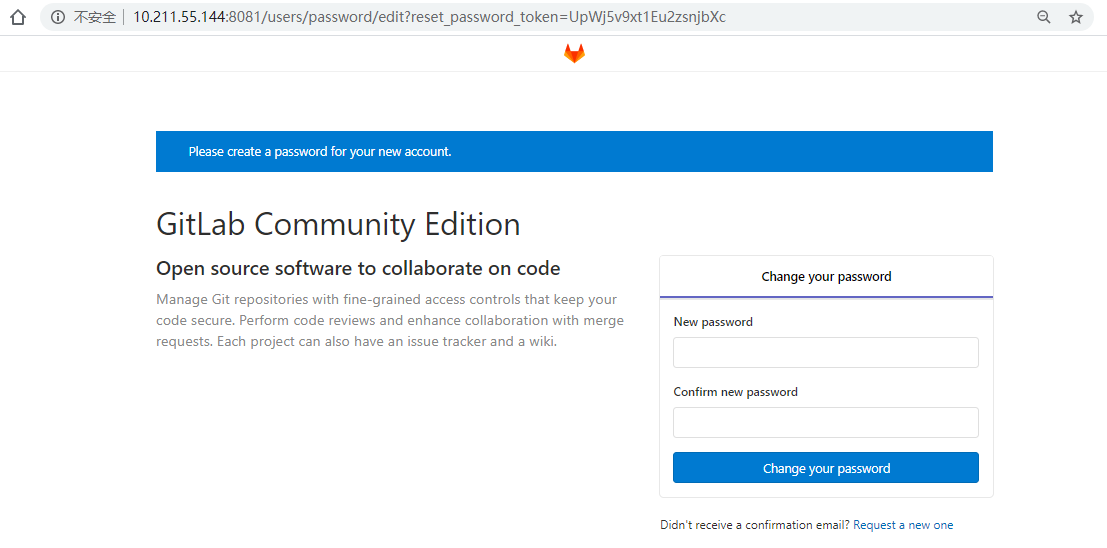 安装成功,需要设定一下管理员的密码。先输入新的密码,然后点击Change your password,设置密码成功,刷新一下就可以登录了。
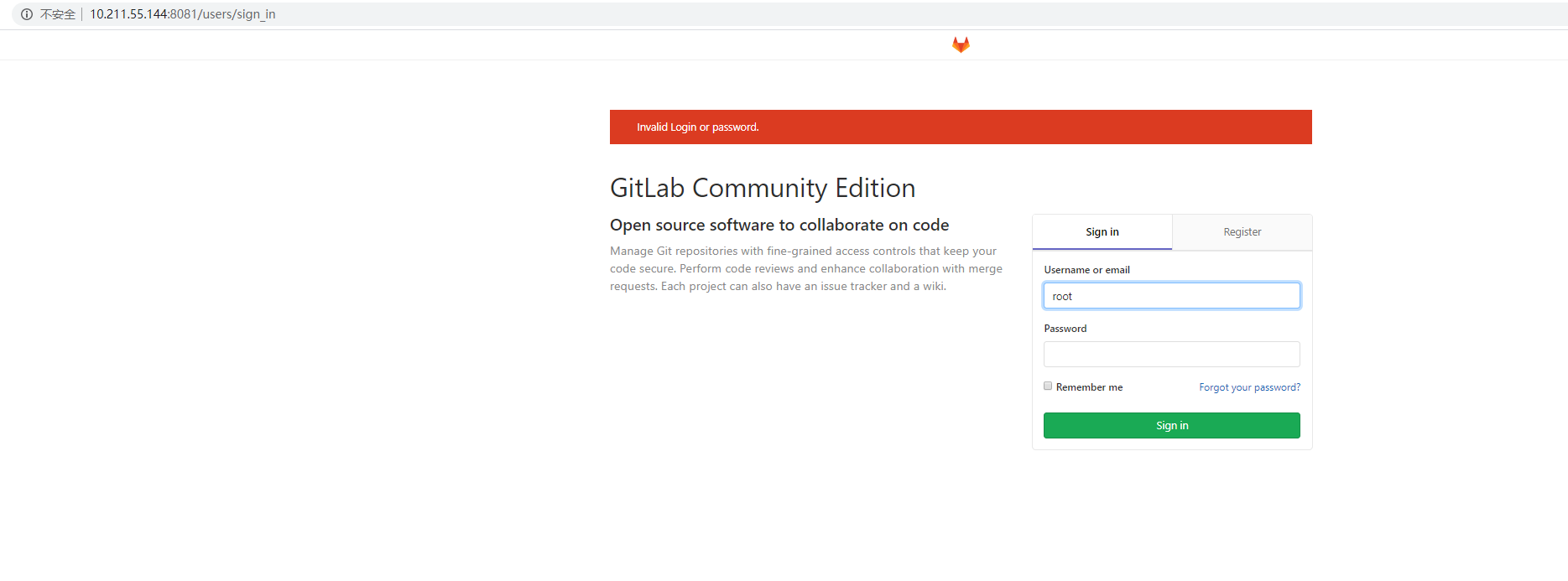 输入用户名root,密码就是刚刚设置的密码,就可以登录进去了
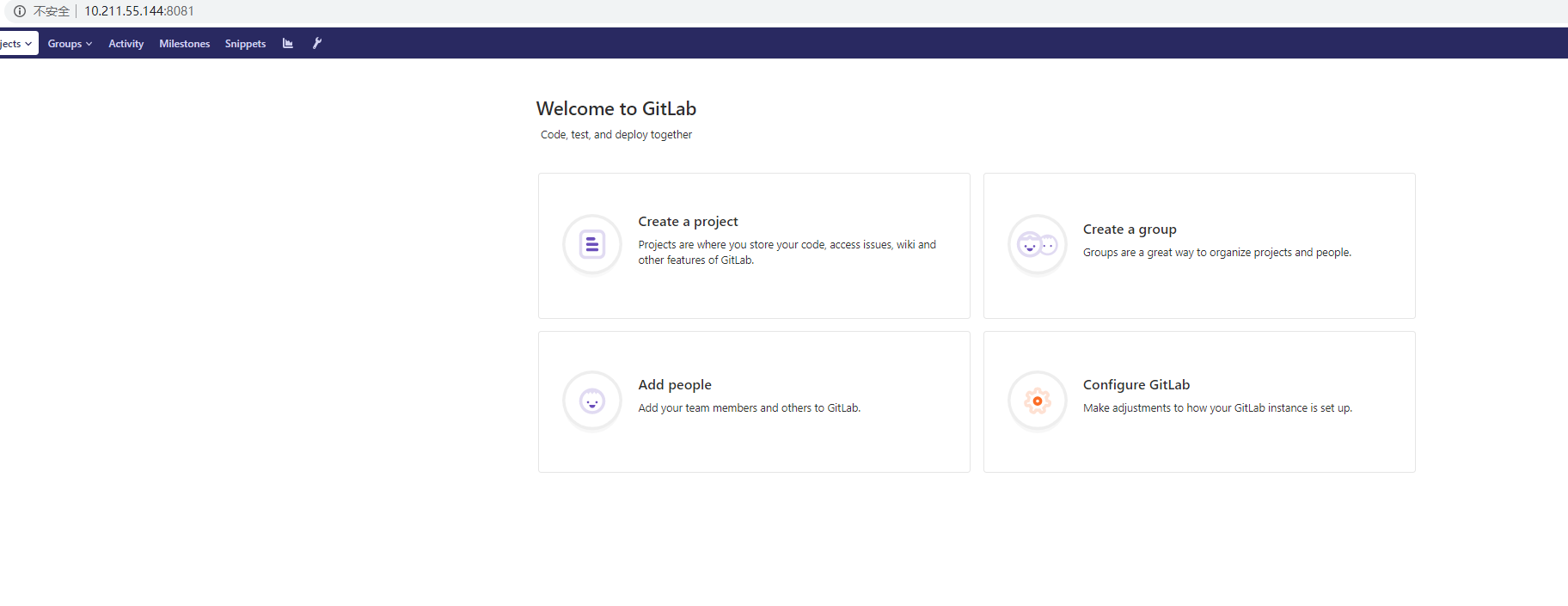 gitlab登录成功,gitlab是安装好了,不过我们要了解一下gitlab的文件路径信息,这样才方便判断服务出现问题如何解决
[root@www.wulaoer.org gitlab]# pwd
/var/log/gitlab
[root@www.wulaoer.org gitlab]# ls
alertmanager  gitlab-monitor  gitlab-shell      grafana    nginx          postgres-exporter  prometheus   redis           sidekiq
gitaly        gitlab-rails    gitlab-workhorse  logrotate  node-exporter  postgresql         reconfigure  redis-exporter  unicorn
gitlab服务依赖的服务路径
[root@www.wulaoer.org log]# ll /var/opt/gitlab/
总用量 12
drwxr-x---. 3 gitlab-prometheus root        42 3月  14 15:18 alertmanager
drwx------. 2 git               root         6 3月  14 15:16 backups
-rw-------. 1 root              root        38 3月  14 15:18 bootstrapped
drwx------. 2 git               root        79 3月  14 15:20 gitaly
drwx------. 3 git               root        26 3月  14 15:16 git-data
drwxr-xr-x. 3 git               root        20 3月  14 15:16 gitlab-ci
drwxr-xr-x. 2 git               root        52 3月  14 15:18 gitlab-monitor
drwxr-xr-x. 9 git               root       160 3月  14 15:17 gitlab-rails
drwx------. 2 git               root        24 3月  14 15:16 gitlab-shell
drwxr-x---. 2 git               gitlab-www  54 3月  14 15:20 gitlab-workhorse
drwx------. 4 gitlab-prometheus root        83 3月  14 15:19 grafana
drwx------. 3 root              root        71 3月  14 15:30 logrotate
drwxr-x---. 9 root              gitlab-www 163 3月  14 15:20 nginx
drwxr-xr-x. 3 root              root        32 3月  14 15:18 node-exporter
drwx------. 2 gitlab-psql       root        26 3月  14 15:18 postgres-exporter
drwxr-xr-x. 3 gitlab-psql       root        81 3月  14 15:20 postgresql
drwxr-x---. 4 gitlab-prometheus root        53 3月  14 15:18 prometheus
-rw-r--r--. 1 root              root       226 3月  14 15:19 public_attributes.json
drwxr-x---. 2 gitlab-redis      git         60 3月  14 15:35 redis
-rw-r--r--. 1 root              root        40 3月  14 15:17 trusted-certs-directory-hash
数据备份时,我们就可以把这个写文件进行备份,迁移了。
1\. 问题描述 在 Jenkins CI/CD 构建前端项目(Vue / Vite / Webpack 等)时,执行: 报错: 即 Node.js 在运行时超出了默认 V8 引擎

jenkins中的job在打包时,总是提示Too many open files,通常是因为系统中允许打开的文件句柄数量超过了限制。要解决这个问题,您可以按照以下步骤增加系统和 J
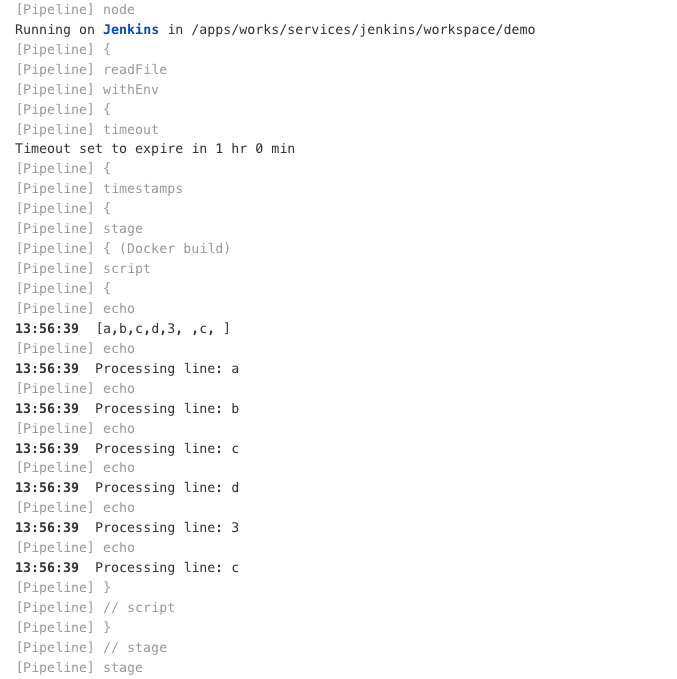
前面已经说过,在每次发布服务时,需要选择一下分支,还要选择服务名称,只所以这样选择是因为避免构建的时候发布了没必要的服务,但是我们又需要明白服务名称,这里就尝试是否可以在pipel
评论 0