
DevOps
Jenkins 构建 Node 项目内存溢出(JavaScript heap out of memory)解决方案
1\. 问题描述 在 Jenkins CI/CD 构建前端项目(Vue / Vite / Webpack 等)时,执行: 报错: 即 Node.js 在运行时超出了默认 V8 引擎
[wolf@wulaoer.org 🔥🔥🔥🔥 ]$ gitlab-rails console production如果此时有报错:
Traceback (most recent call last):
    8: from bin/rails:4:in `<main>'
    7: from bin/rails:4:in `require'
    6: from /opt/gitlab/embedded/lib/ruby/gems/2.6.0/gems/railties-6.0.2/lib/rails/commands.rb:18:in `<top (required)>'
    5: from /opt/gitlab/embedded/lib/ruby/gems/2.6.0/gems/railties-6.0.2/lib/rails/command.rb:46:in `invoke'
    4: from /opt/gitlab/embedded/lib/ruby/gems/2.6.0/gems/railties-6.0.2/lib/rails/command/base.rb:69:in `perform'
    3: from /opt/gitlab/embedded/lib/ruby/gems/2.6.0/gems/thor-0.20.3/lib/thor.rb:387:in `dispatch'
    2: from /opt/gitlab/embedded/lib/ruby/gems/2.6.0/gems/thor-0.20.3/lib/thor/invocation.rb:126:in `invoke_command'
    1: from /opt/gitlab/embedded/lib/ruby/gems/2.6.0/gems/thor-0.20.3/lib/thor/command.rb:27:in `run'
/opt/gitlab/embedded/lib/ruby/gems/2.6.0/gems/railties-6.0.2/lib/rails/commands/console/console_command.rb:95:in `perform': wrong number of arguments (given 1, expected 0) (ArgumentError)
    9: from bin/rails:4:in `<main>'
    8: from bin/rails:4:in `require'
    7: from /opt/gitlab/embedded/lib/ruby/gems/2.6.0/gems/railties-6.0.2/lib/rails/commands.rb:18:in `<top (required)>'
    6: from /opt/gitlab/embedded/lib/ruby/gems/2.6.0/gems/railties-6.0.2/lib/rails/command.rb:46:in `invoke'
    5: from /opt/gitlab/embedded/lib/ruby/gems/2.6.0/gems/railties-6.0.2/lib/rails/command/base.rb:69:in `perform'
    4: from /opt/gitlab/embedded/lib/ruby/gems/2.6.0/gems/thor-0.20.3/lib/thor.rb:387:in `dispatch'
    3: from /opt/gitlab/embedded/lib/ruby/gems/2.6.0/gems/thor-0.20.3/lib/thor/invocation.rb:126:in `invoke_command'
    2: from /opt/gitlab/embedded/lib/ruby/gems/2.6.0/gems/thor-0.20.3/lib/thor/command.rb:20:in `run'
    1: from /opt/gitlab/embedded/lib/ruby/gems/2.6.0/gems/thor-0.20.3/lib/thor/command.rb:34:in `rescue in run'
/opt/gitlab/embedded/lib/ruby/gems/2.6.0/gems/thor-0.20.3/lib/thor/base.rb:506:in `handle_argument_error': ERROR: "rails console" was called with arguments ["production"] (Thor::InvocationError)
Usage: "rails console [options]"
则可能是 Gitlab 版本不一样,然后参数方式不一样,需要用如下方式:
[wolf@wulaoer.org 🔥🔥🔥🔥 ]$ gitlab-rails console -e production
接着查询一下用户:
> user = User.where(username:"root").first
=> #<User id:1 @root>
然后修改密码:
> user.password = "www.wulaoer.org"
=> "www.wulaoer.org"
然后保存:
> user.save!
Enqueued ActionMailer::DeliveryJob (Job ID: 1f015e02-34bc-4b26-8e37-3101937b7ce1) to Sidekiq(mailers) with arguments: "DeviseMailer", "password_change", "deliver_now", #<GlobalID:0x00007fa6b83b1378 @uri=#<URI::GID gid://gitlab/User/1>>
=> true #这里的true说明修改成功
保存之后,可以使用如上密码 www.wulaoer.org 进行登陆,这里要注意的是,修改的密码不能和原来的密码一样,或者曾经使用过的密码?如果gitlab有设置的话,你在这里修改成功了,但是还是登录不上去,说明gitlab限制了
1\. 问题描述 在 Jenkins CI/CD 构建前端项目(Vue / Vite / Webpack 等)时,执行: 报错: 即 Node.js 在运行时超出了默认 V8 引擎

jenkins中的job在打包时,总是提示Too many open files,通常是因为系统中允许打开的文件句柄数量超过了限制。要解决这个问题,您可以按照以下步骤增加系统和 J
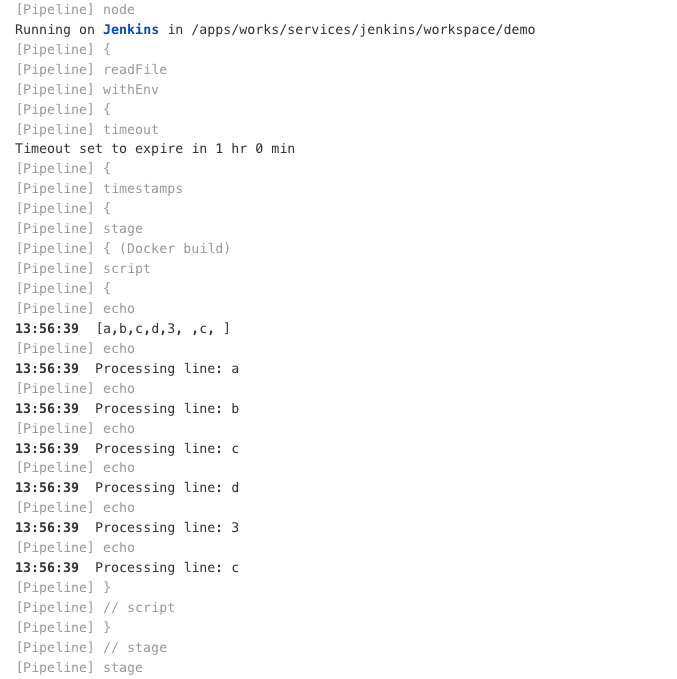
前面已经说过,在每次发布服务时,需要选择一下分支,还要选择服务名称,只所以这样选择是因为避免构建的时候发布了没必要的服务,但是我们又需要明白服务名称,这里就尝试是否可以在pipel
评论 0