云原生
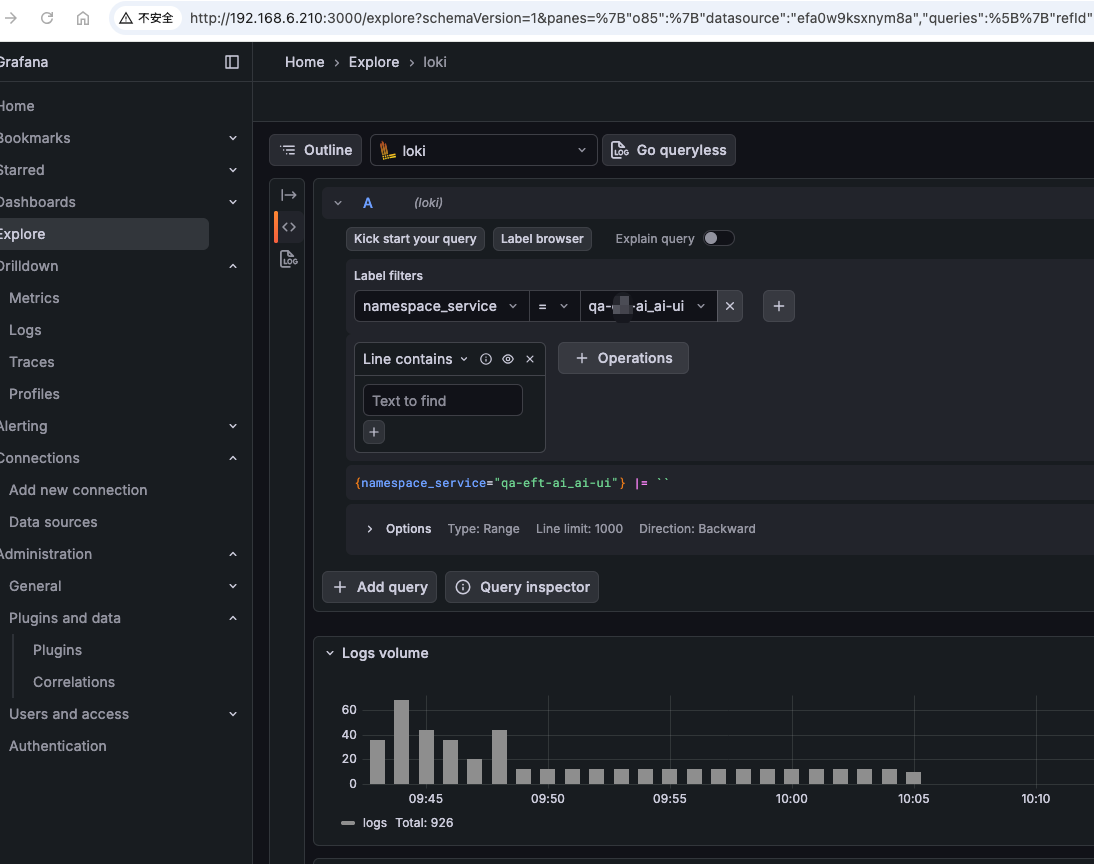
利用kurise做日志采集使用promtail做sidecar采集日志
利用OpenKurise中的kruise做日志采集,原来我使用的是filebeat作为sidecar采集日志的,虽然采集没有什么问题,但是通过es进才看日志就比较繁琐了,这次实验p
[root@www.wulaoer.org ~]# yum -y install podman
[root@www.wulaoer.org ~]# cp /etc/containers/registries.conf{,.bak}
[root@www.wulaoer.org ~]# cat > /etc/containers/registries.conf << EOF
unqualified-search-registries = ["docker.io"]
[[registry]]
prefix = "docker.io"
location = "uyah70su.mirror.aliyuncs.com"
EOF
查看容器Ip
[root@www.wulaoer.org ~]# podman inspect --format='{{.NetworkSettings.IPAddress}}' nginx(容器名)
打包容器
[root@www.wulaoer.org ~]# podman container checkpoint <container_id> -e /tmp/checkpoint.tar.gz恢复容器
[root@www.wulaoer.org ~]# podman container restore -i /tmp/checkpoint.tar.gz进入容器
[root@www.wulaoer.org ~]# podman exec -it 497e43bbe6b2 /bin/bashpodman参数
[root@www.wulaoer.org ~]# yum install -y bash-completion | exit
[root@www.wulaoer.org ~]# podman
attach       container    diff         export       help         images       inspect      login        mount        pod          pull         rm           save         stats        top          unpause      volume
build        cp           events       generate     history      import       kill         logout       pause        port         push         rmi          search       stop         umount       varlink      wait
commit       create       exec         healthcheck  image        info         load         logs         play         ps           restart      run          start        tag          unmount      version
[root@www.wulaoer.org ~]# podman run -
Display all 110 possibilities? (y or n)
-a                             --cpu-quota                    --device-write-iops            --health-interval              -l                             --no-hosts                     --rm                           --tty
--add-host                     --cpu-rt-period                --disable-content-trust=false  --health-retries               --label                        --oom-kill-disable             --rootfs                       -u
--annotation                   --cpu-rt-runtime               --dns                          --health-timeout               --label-file                   --oom-score-adj                --runtime                      --uidmap
--attach                       --cpus                         --dns-option                   --help                         --log-driver                   -p                             --security-opt                 --ulimit
--blkio-weight                 --cpuset-cpus                  --dns-search                   --hostname                     --log-opt                      -P                             --shm-size                     --user
--blkio-weight-device          --cpuset-mems                  -e                             --http-proxy                   -m                             --pid                          --sig-proxy=false              --userns
--builtin-volume               --cpu-shares                   --entrypoint                   -i                             --mac-address                  --pids-limit                   --stop-signal                  --uts
-c                             -d                             --env                          --image-volume                 --memory                       --pod                          --stop-timeout                 -v
--cap-add                      --detach                       --env-file                     --init                         --memory-reservation           --privileged                   --subgidname                   --volume
--cap-drop                     --detach-keys                  --expose                       --init-path                    --memory-swap                  --publish                      --subuidname                   --volumes-from
--cgroup-parent                --device                       --gidmap                       --interactive                  --memory-swappiness            --publish-all                  --sysctl                       -w
--cidfile                      --device-read-bps              --group-add                    --ip                           --name                         --quiet                        --systemd                      --workdir
--conmon-pidfile               --device-read-iops             -h                             --ipc                          --network                      --read-only                    -t
--cpu-period                   --device-write-bps             --health-cmd                   --kernel-memory                --no-healthcheck               --read-only-tmpfs              --tmpfs
虽然我们在平时很少使用,或者几乎没有使用过,不过不要近,这个不影响我们学习另外一种容器的心态,不过在做兼职时,有遇到过政府架构使用过,至于为什么使用podman就不太清楚了,他们使用后因为交接不利所以才会出现这种后期无法维护都问题,多学点对自己没有坏处。。。。。。
利用OpenKurise中的kruise做日志采集,原来我使用的是filebeat作为sidecar采集日志的,虽然采集没有什么问题,但是通过es进才看日志就比较繁琐了,这次实验p

RBAC(RoleBased Access Control)是 Kubernetes 中最核心、最常用的权限控制模型。无论你是平台管理员、SRE,还是 K8s 应用开发者,只要你需

在 Kubernetes 环境下,通过 Filebeat 采集容器日志并将其转发至日志平台(如 Kafka、Elasticsearch)是一种常见的日志解决方案。为了实现日志的可观
评论 0